Activity
Learn how to analyze voice-session length, speaking behavior, time trends, users, and channels.
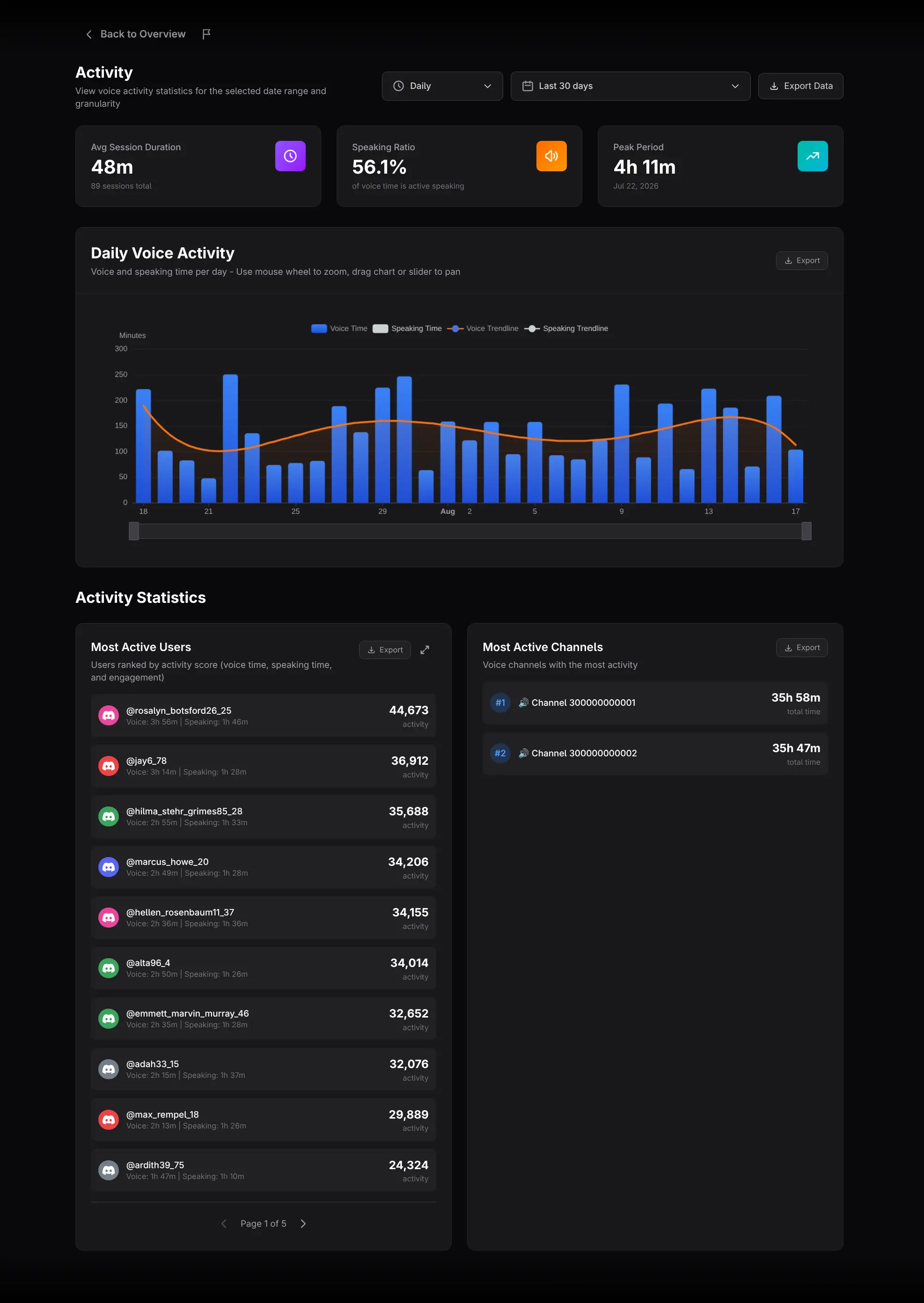
The Voice Activity report summarizes voice-channel engagement: session length, speaking behavior, activity over time, and the most active users and channels.
Set the period and granularity
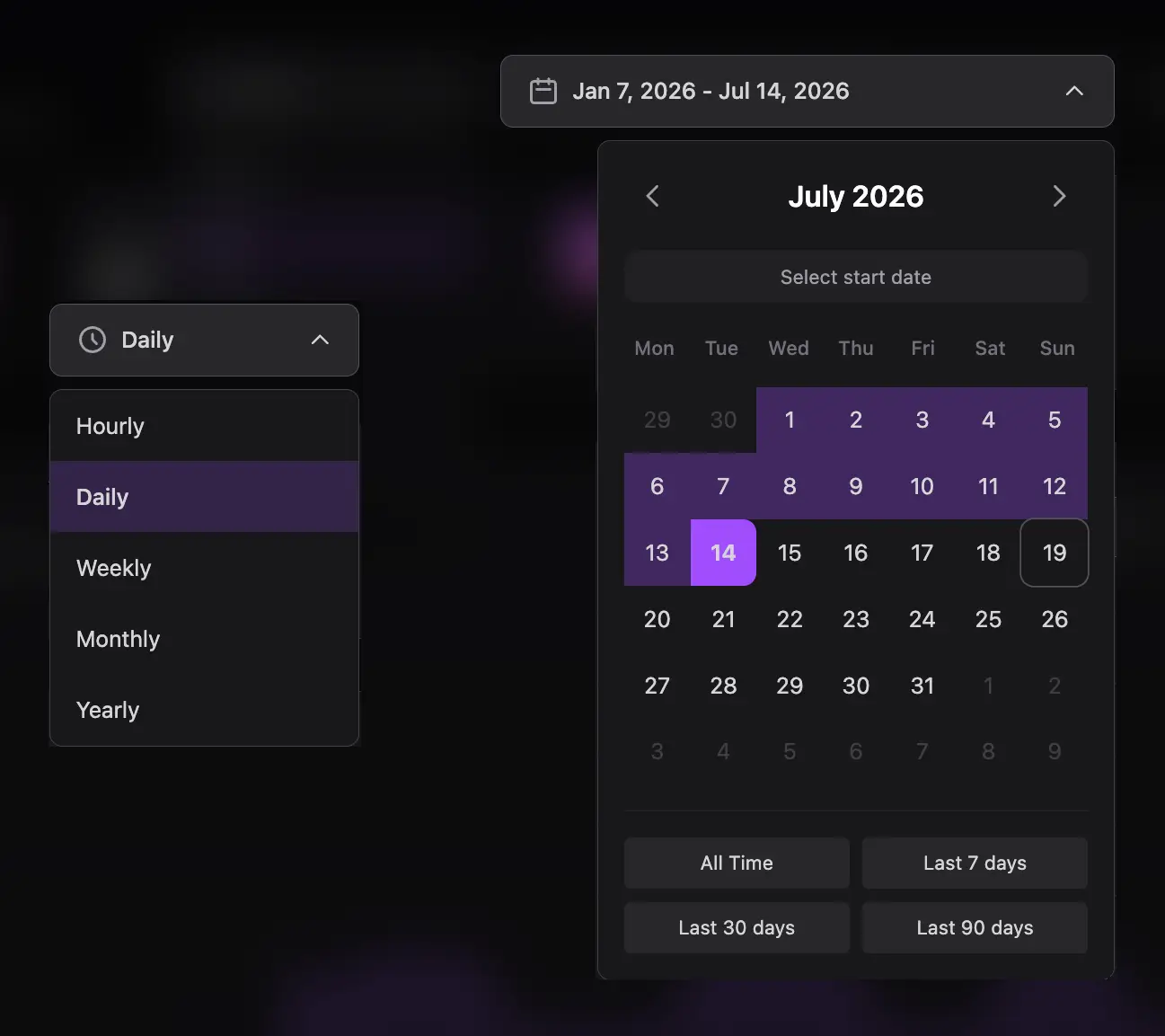
Choose Hourly, Daily, Weekly, Monthly, or Yearly grouping, then select a date range. Match the bucket size to the question: Hourly for an event, Daily or Weekly for operations, and Monthly for long-term direction.
Read the summary cards
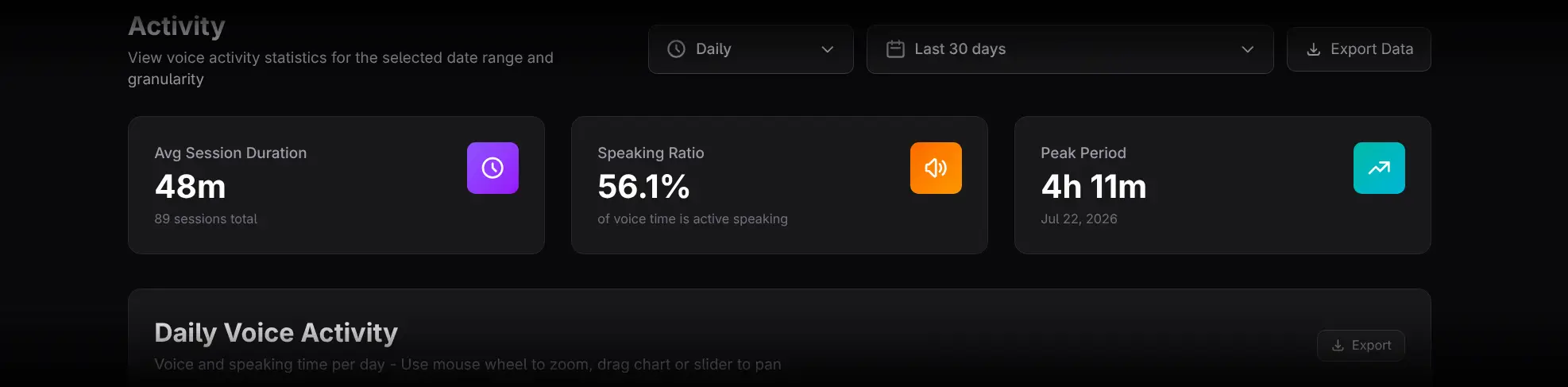
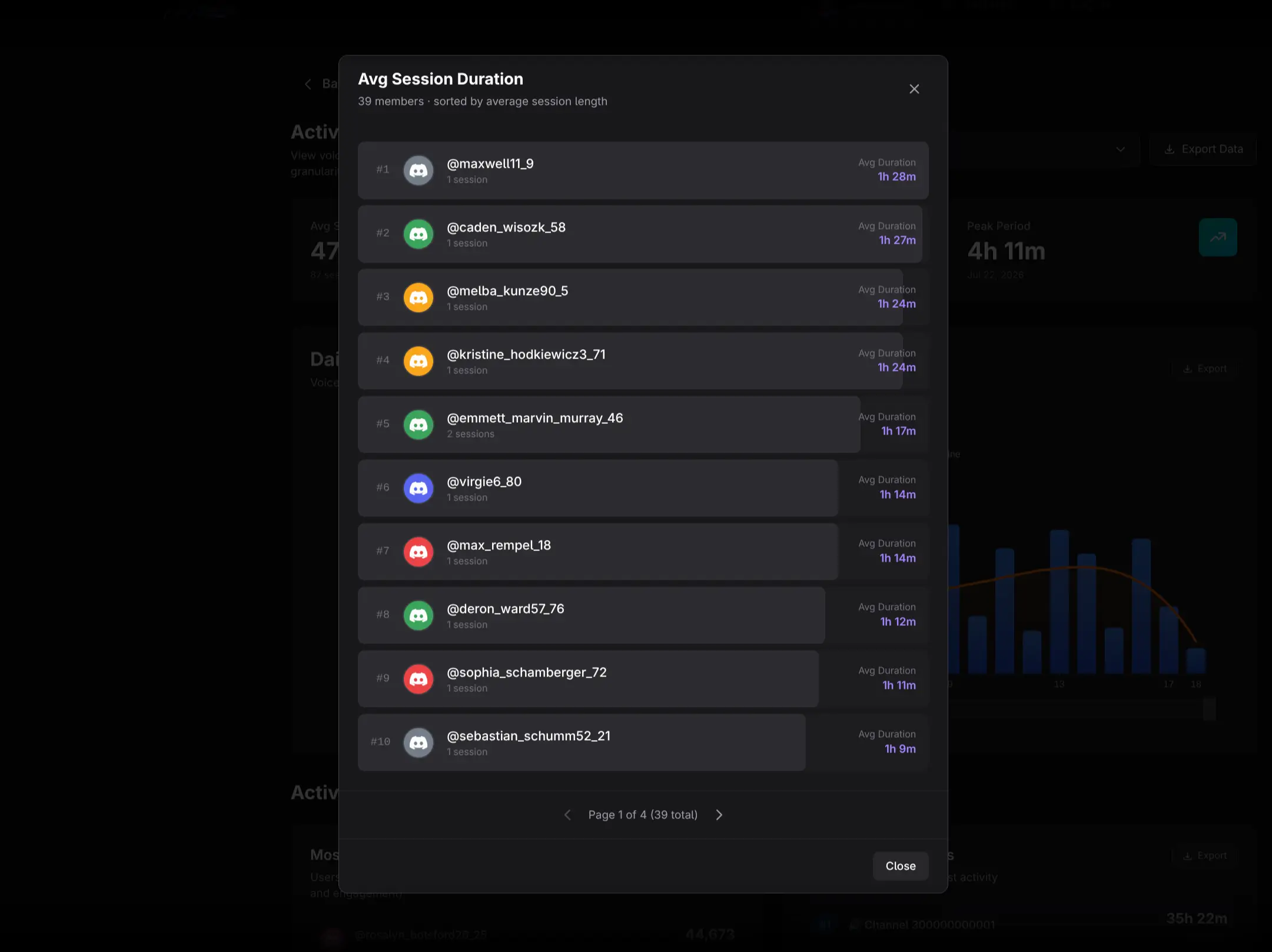
- Avg Session Duration shows the typical voice-session length. Click it for a user ranking specific to session duration.
- Speaking Ratio is speaking time divided by total voice time. Click it to compare members by this metric.
- Peak Period identifies the highest voice-activity bucket. Click it to inspect the users active during that peak.
Speaking Ratio should not be treated as a universal quality score. Listening can be a legitimate form of participation, and different event types create different ratios.
Analyze Daily Voice Activity
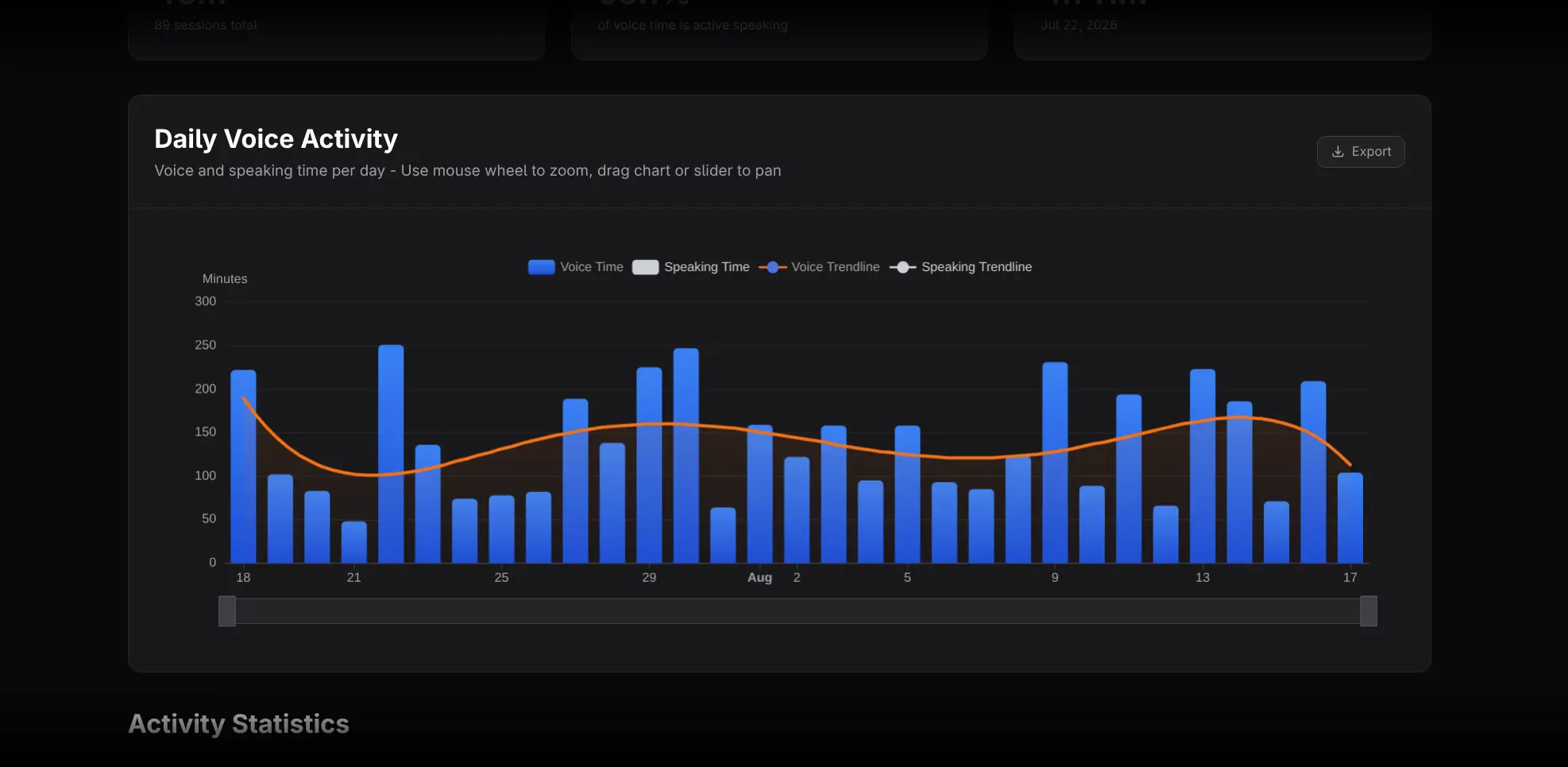
The main chart shows grouped bars for Voice Time and Speaking Time, with a fitted trendline for each.
- Speaking Time starts hidden; click its legend item to display it.
- Hover for exact values.
- Zoom or drag to focus on a shorter interval.
- Compare the bars with their trendlines to separate isolated events from direction.
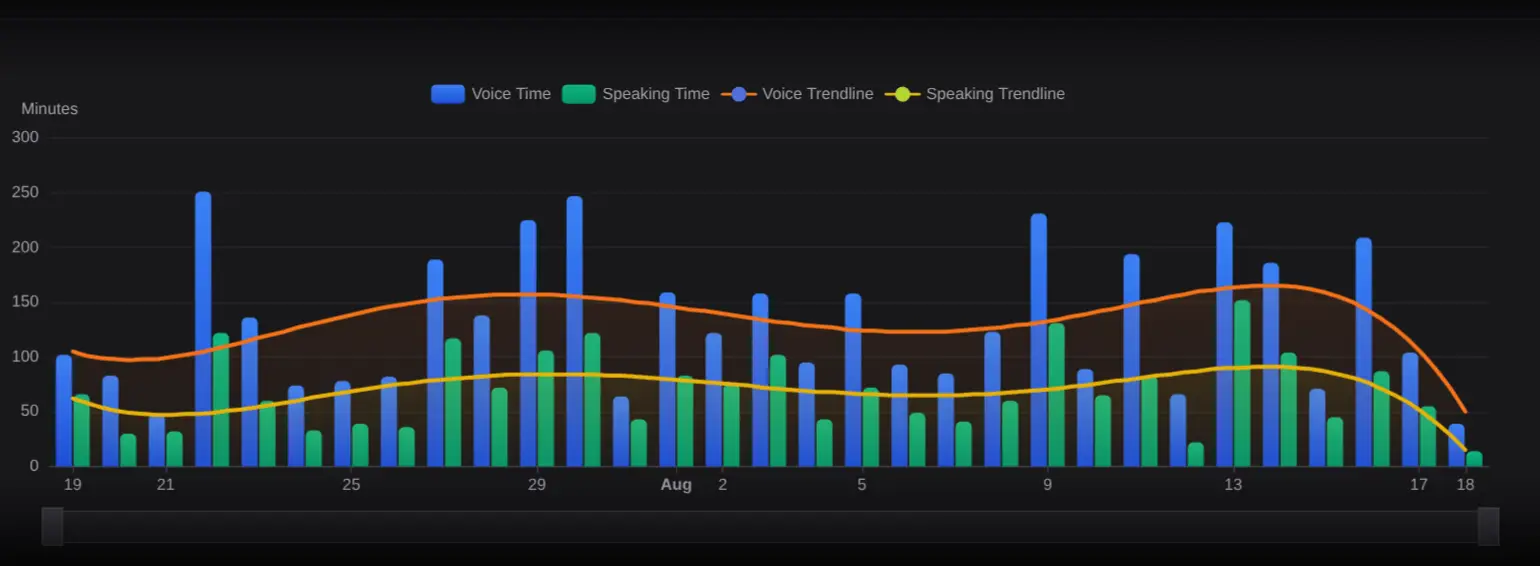
Voice Time measures time connected to voice. Speaking Time measures detected speaking within that participation.
Review leaderboards
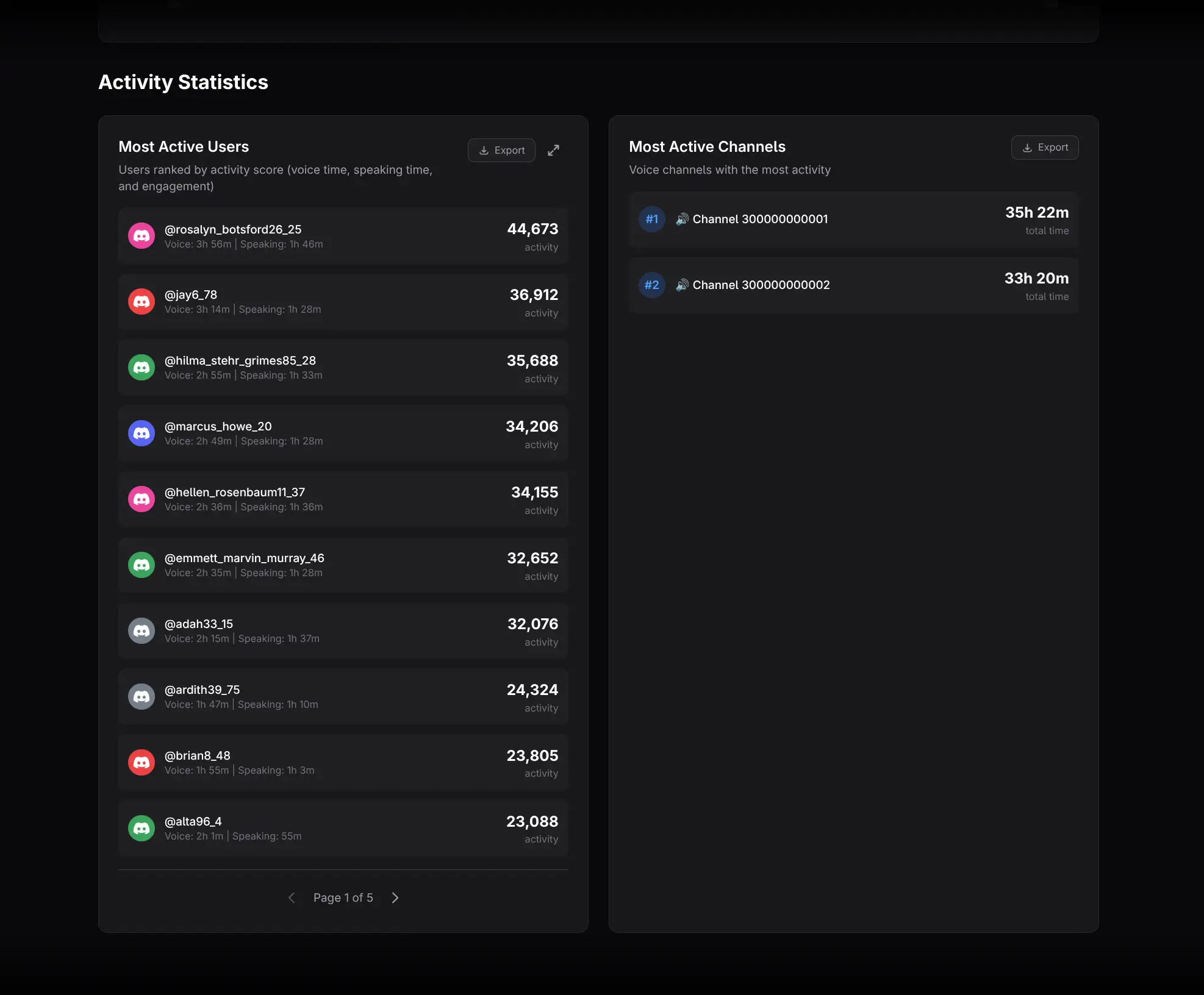
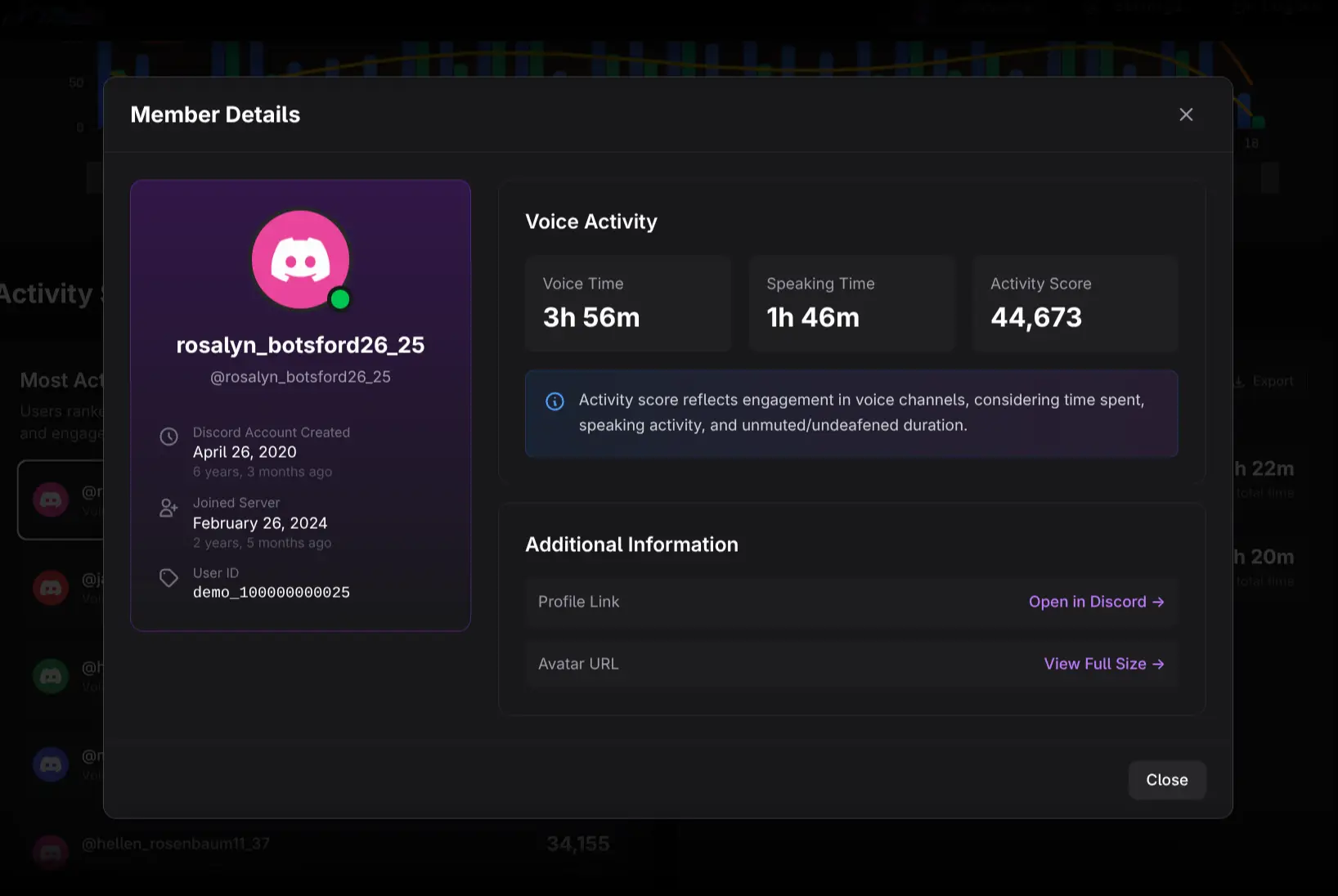
- Most Active Users ranks members by voice engagement. Click a user to open Member Details in voice context, including voice time, speaking time, and an Activity Score. Use the expand control for a large avatar-colored bar chart.
- Most Active Channels ranks voice channels. Channel rows are informational and do not open a detail view.
Practical workflows
Evaluate a voice event
Use a narrow range around the event. Review Peak Period, session duration, speaking ratio, and the participating members. Compare with a similar previous event using identical settings.
Find voice-first members
Open the user ranking and compare it with Members Insights and Message Activity. Members with strong voice use and low chat volume may still be highly engaged.
Improve channel structure
Compare the channel ranking with session duration and recurring activity. A busy channel may serve a general purpose, while a smaller channel with long sessions may support a specialized group.
Exporting and cautions
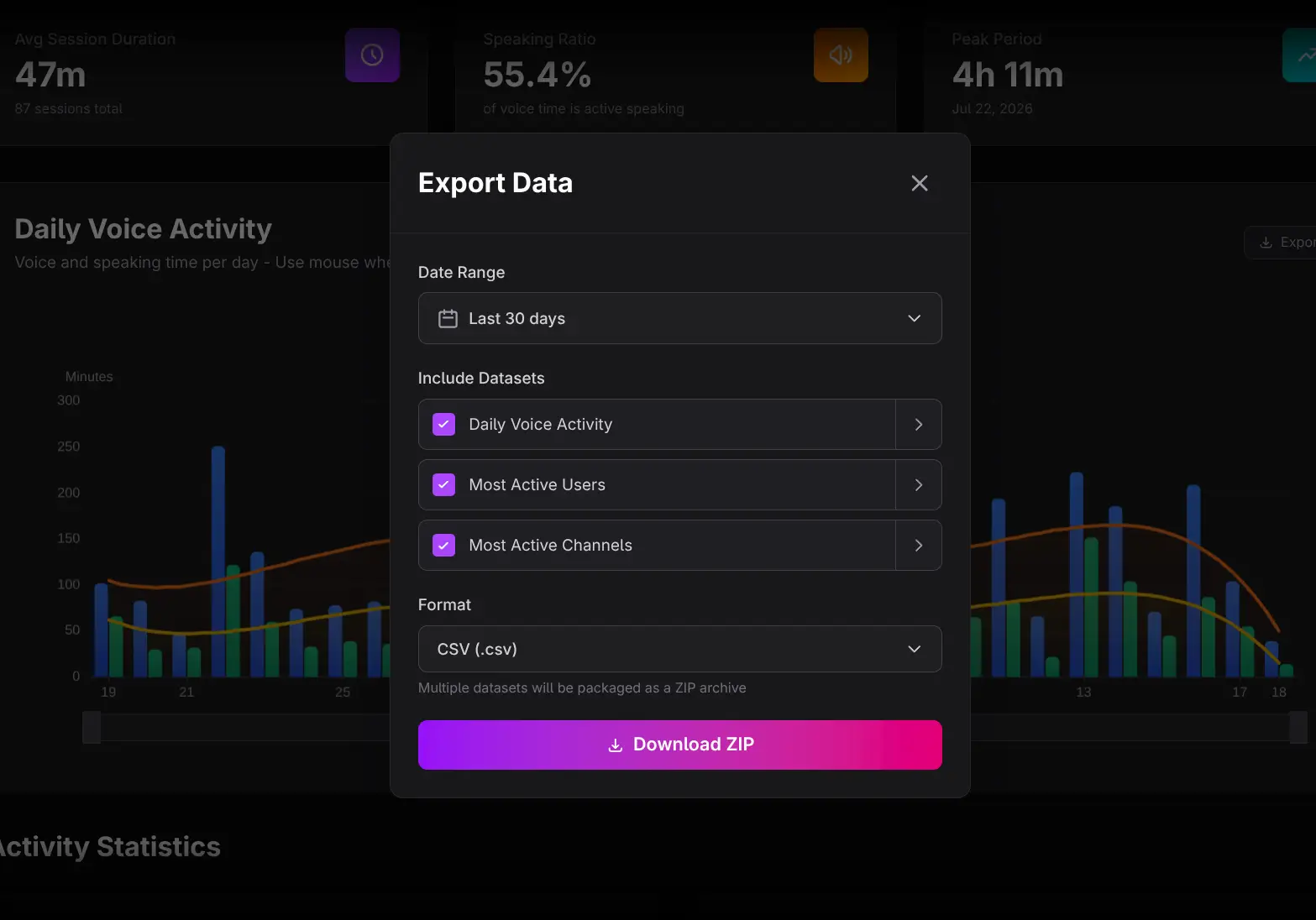
Use Export Data for multiple voice datasets or chart-level Export controls for one section.
- Connected time does not guarantee continuous attention.
- Speaking Ratio varies naturally by event format.
- A peak can be generated by one exceptional event.
- Missing tracked periods should not be interpreted as observed inactivity.