Chatting
Learn how to analyze unique chatters, messages per chatter, and participation consistency.
The Chatting report measures distinct message senders rather than raw messages. It helps determine whether conversation is broadly distributed or concentrated among a small number of people. This report requires the Premium plan or higher.
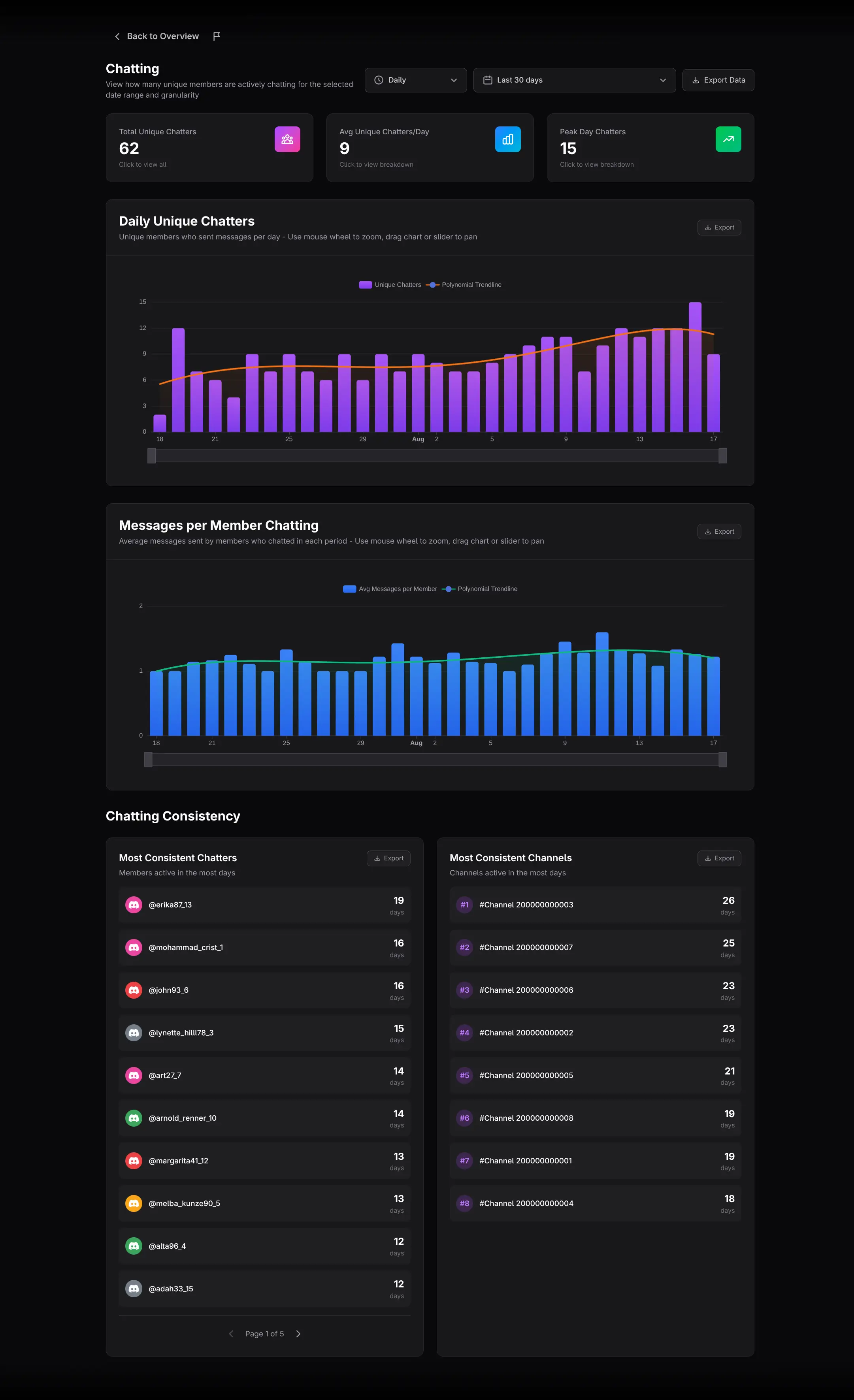
Select the period
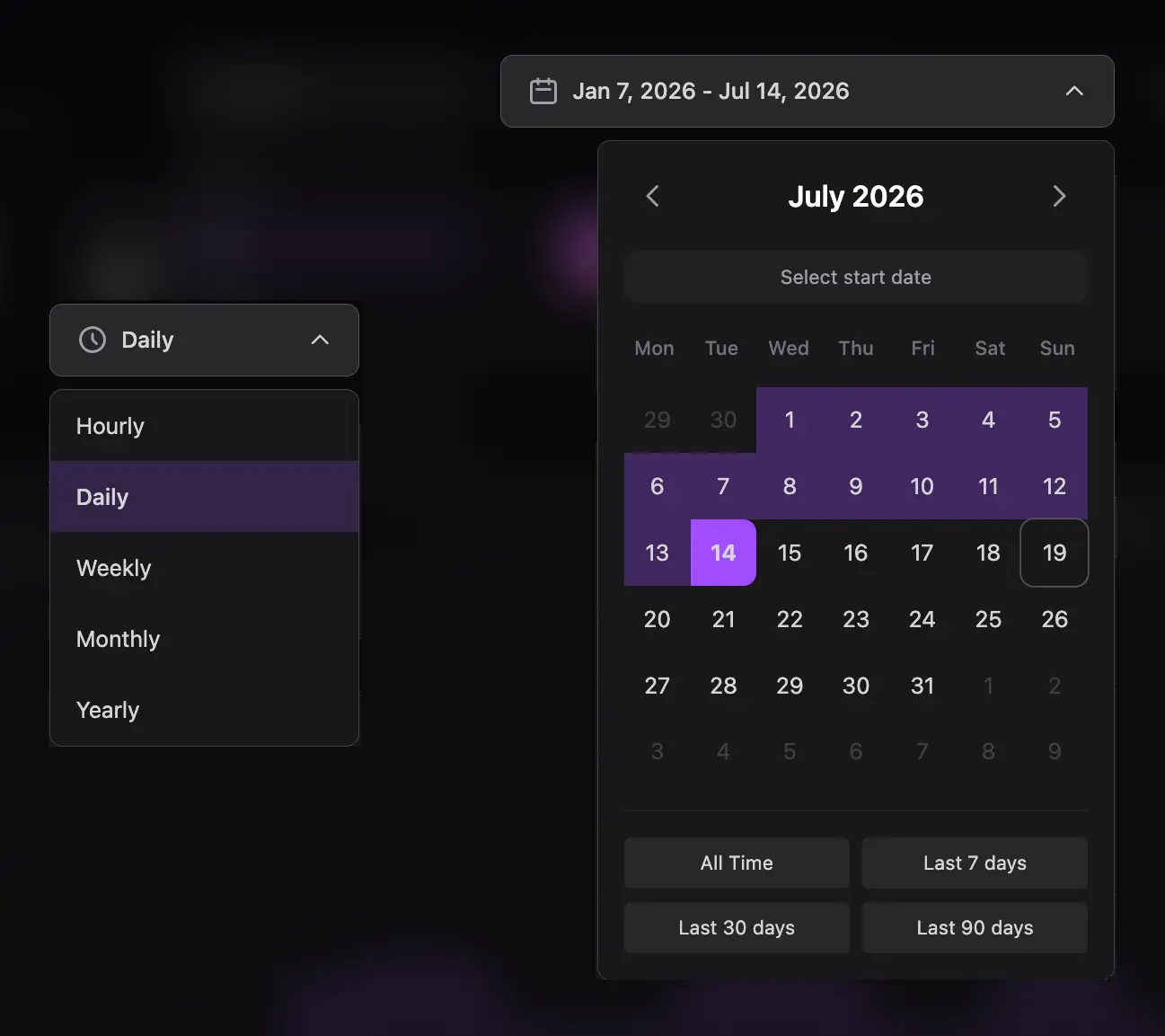
Choose the date range and time granularity. Use the same settings when comparing this page with Message Activity so the metrics refer to equivalent buckets.
Understand the three cards
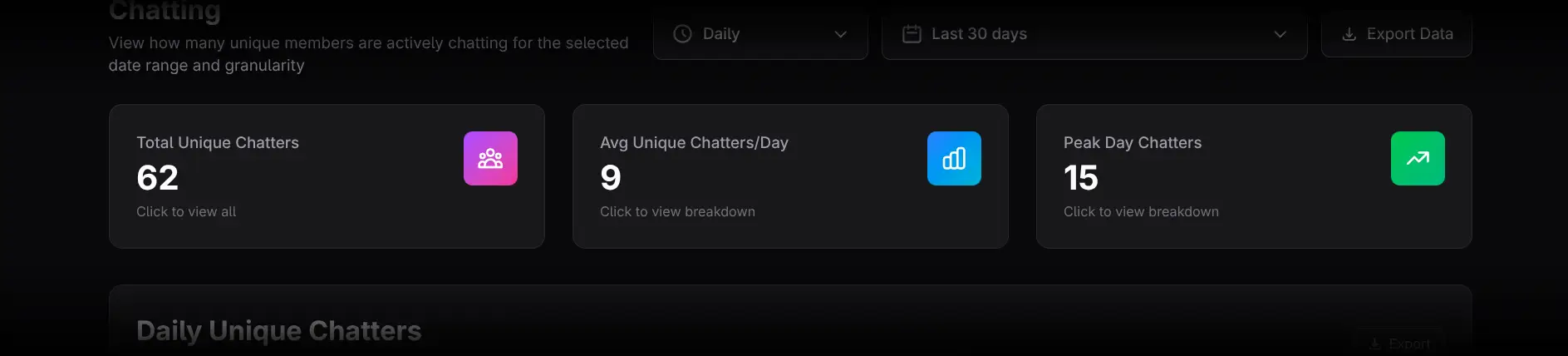
- Total Unique Chatters opens all members who chatted, ranked by message count.
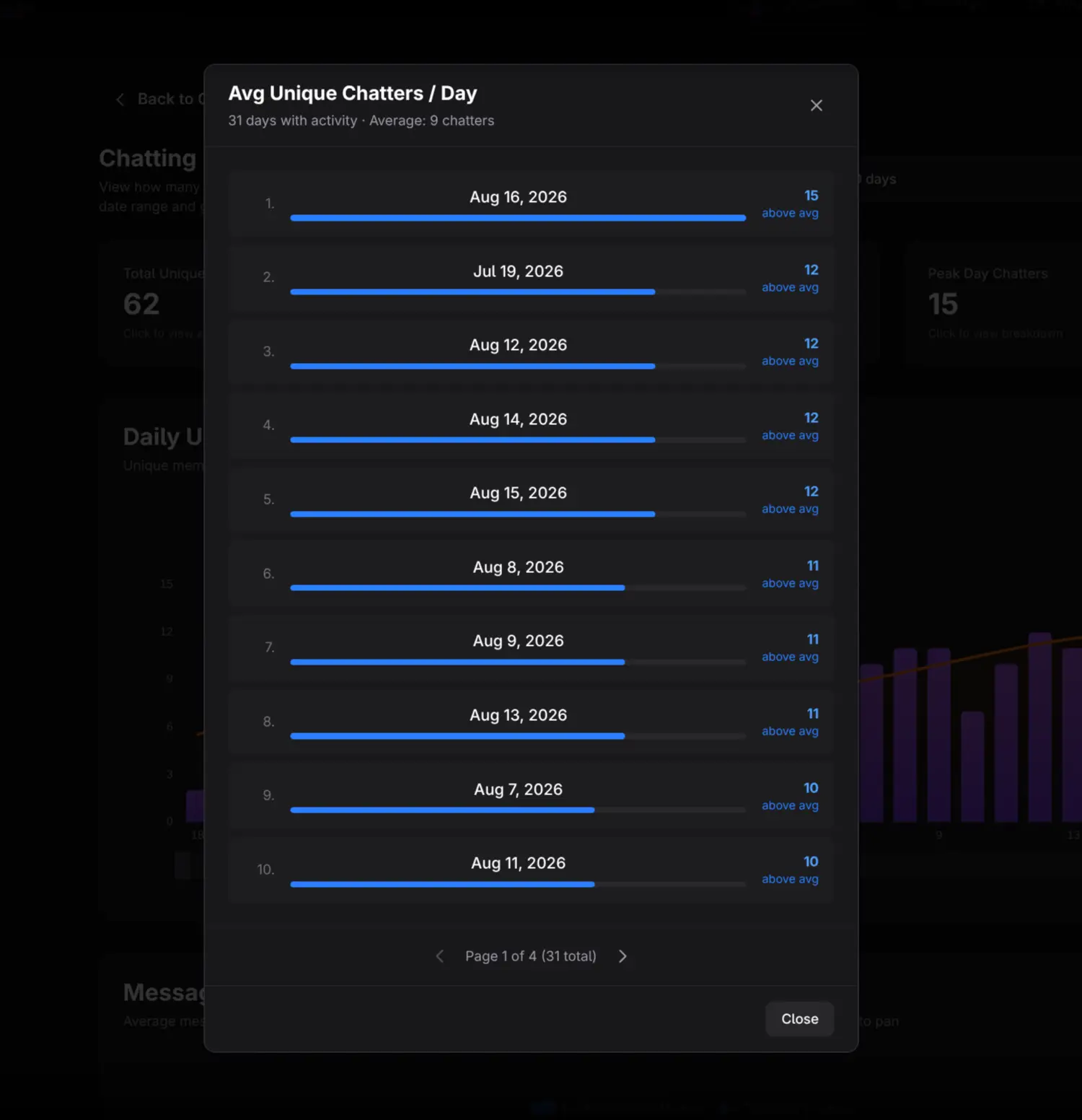
- Avg Unique Chatters/Day opens a list of periods with above- or below-average indicators. Click a period to see who chatted in it.
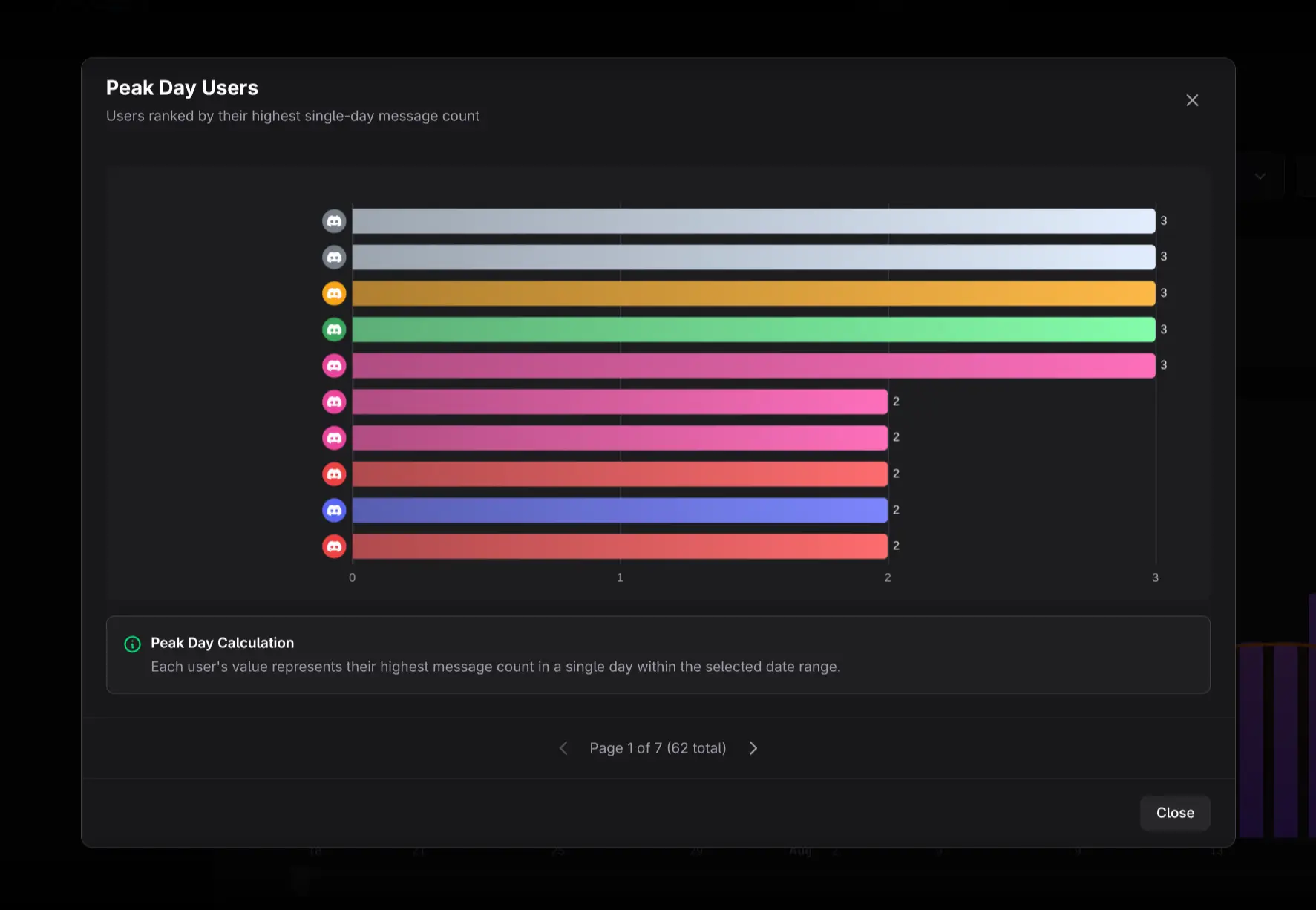
- Peak Day Chatters opens a bar chart of users who participated in the busiest unique-chatter period.
Although the cards look similar, their drill-downs answer different questions: total audience, typical-period breadth, and peak-period composition.
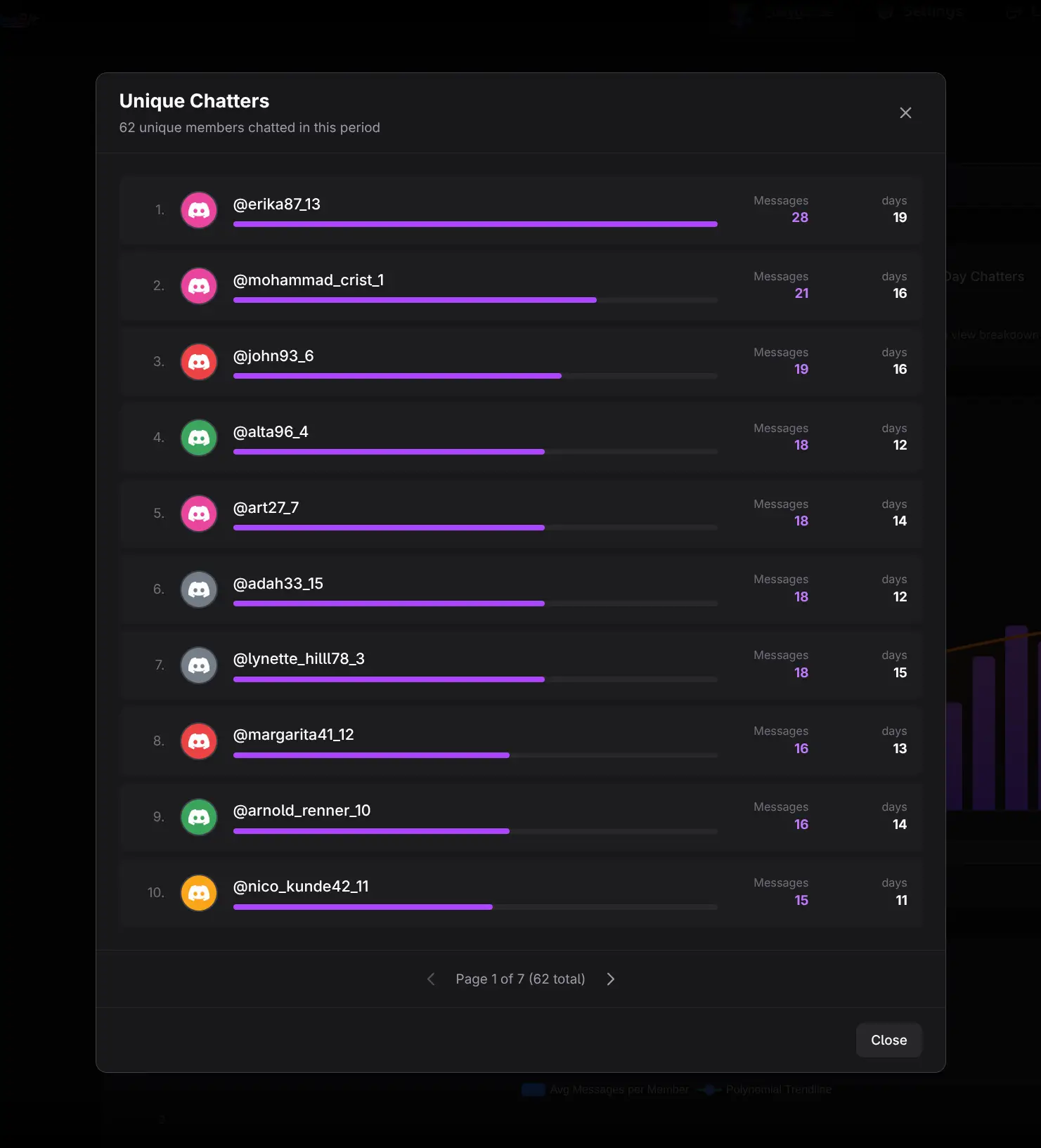
Use the two charts
Daily Unique Chatters
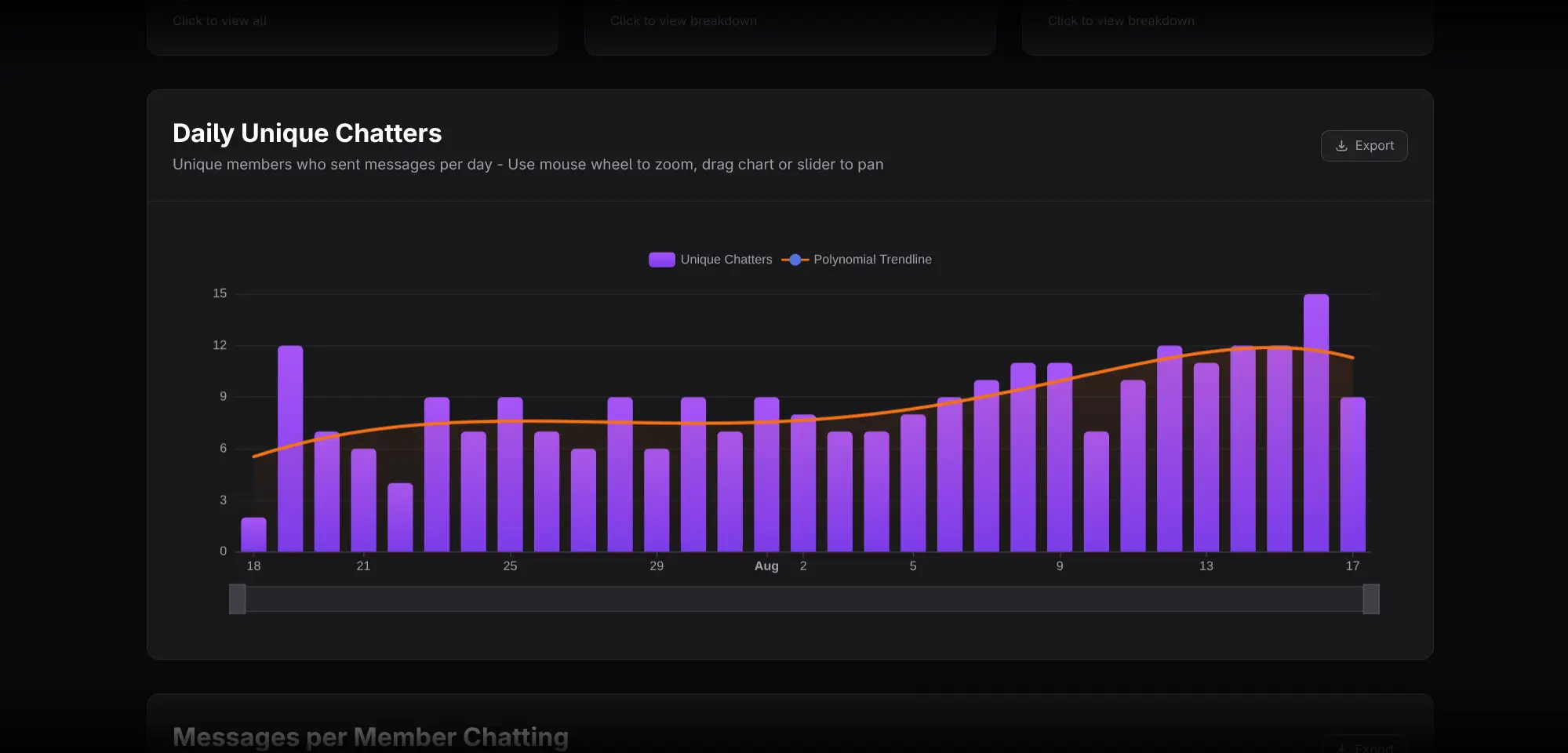
Shows the number of distinct members who sent at least one message in each period. Use it to measure participation breadth.
Messages per Member Chatting
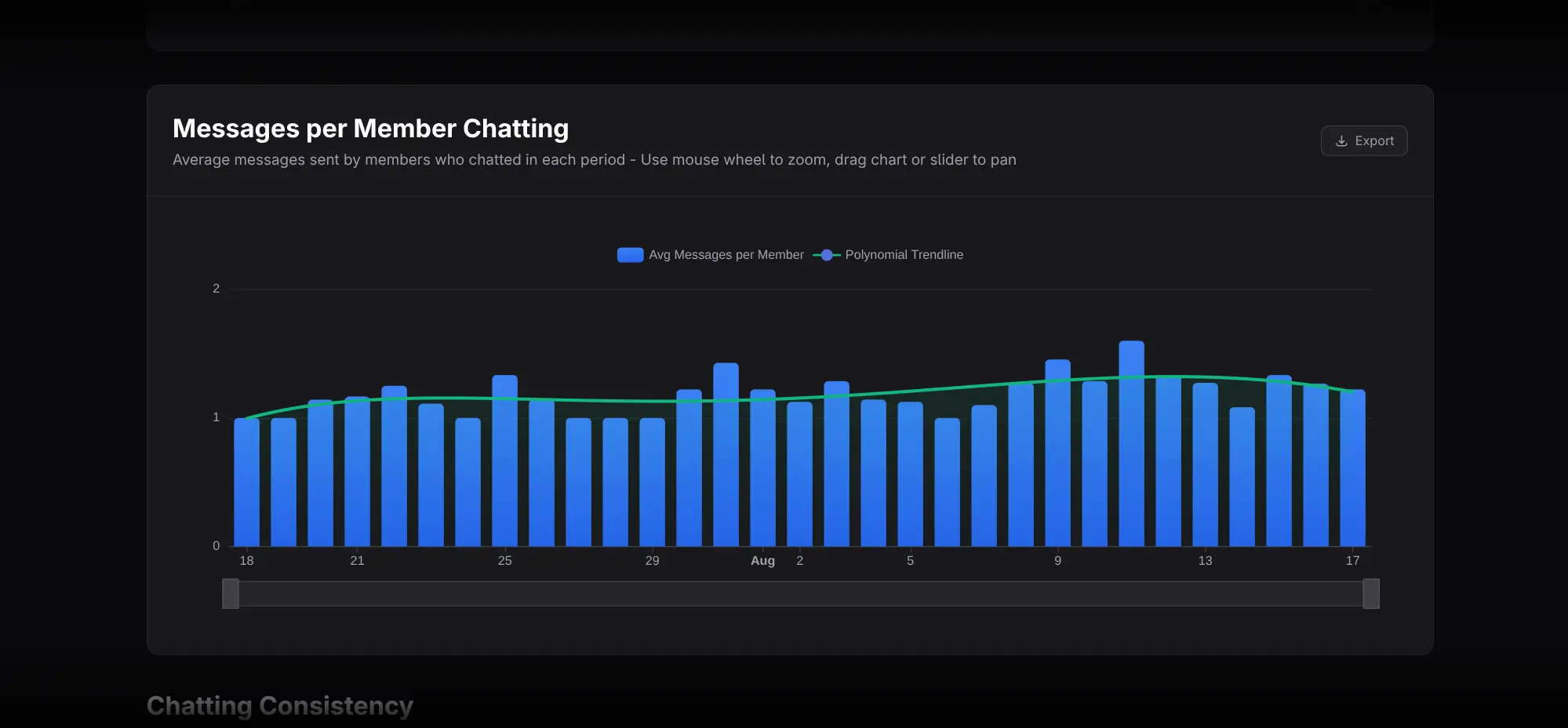
Shows average messages per active chatter. Use it as a rough measure of conversational intensity among the people who participated.
Zoom and pan each chart independently. Compare both charts:
- Unique Chatters up, Messages per Chatter stable: broader participation.
- Unique Chatters flat, Messages per Chatter up: more output from a similar-size group.
- Unique Chatters down, Messages per Chatter up: conversation may be concentrating.
These are interpretations to investigate, not proof of cause.
Review consistency leaderboards
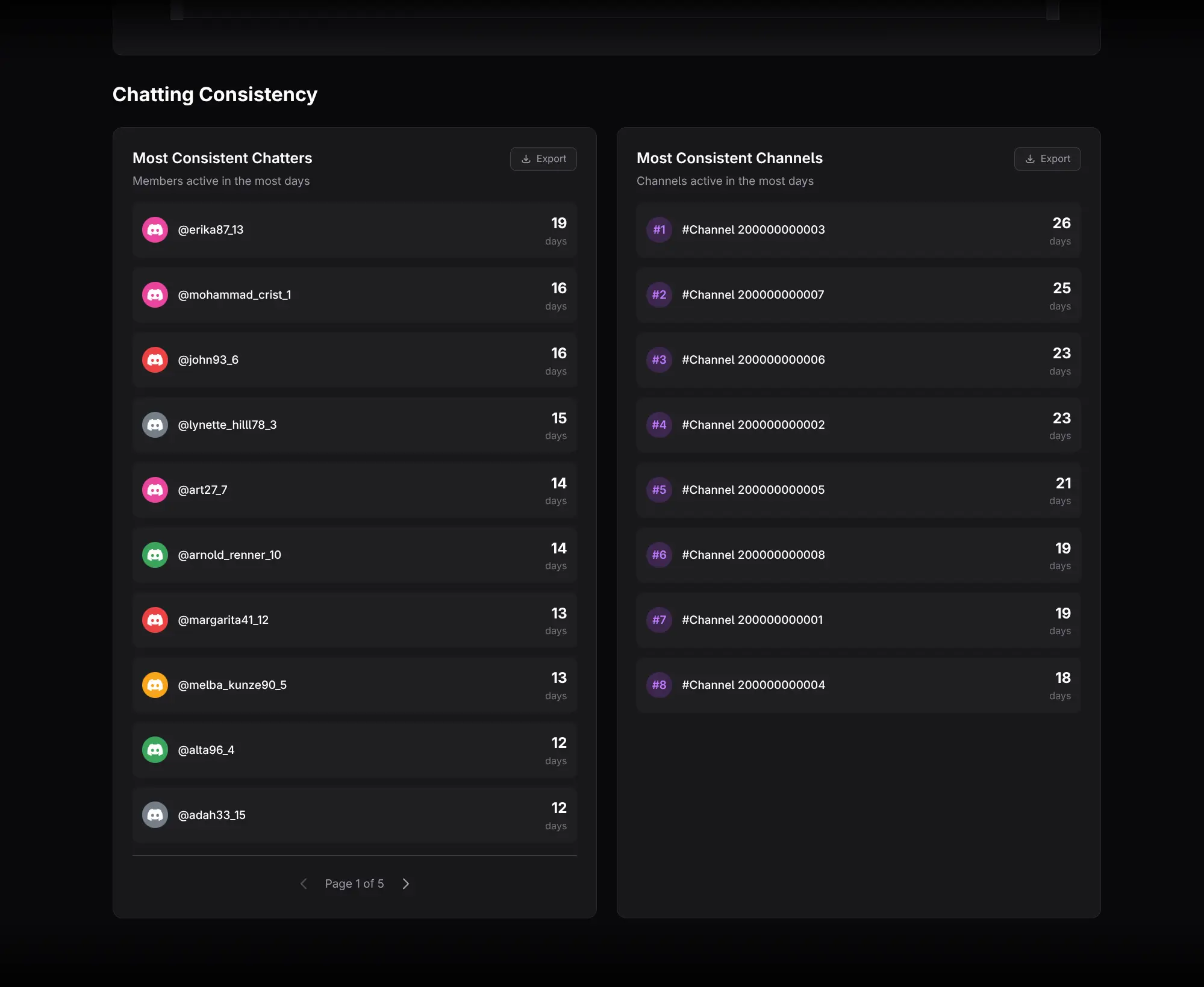
- Most Consistent Chatters ranks people by the number of distinct periods in which they were active.
- Most Consistent Channels uses the same consistency logic for channels.
Consistency is different from volume. A member sending a small number of messages every week may outrank someone who posted heavily once.
Practical workflows
Track community breadth
Monitor Total and Average Unique Chatters alongside total membership. If membership grows while unique chatters do not, activation may be lagging.
Evaluate recurring programming
Use the same weekly bucket across several cycles. Look for sustained unique-chatters growth rather than one peak day.
Detect overreliance on core users
Compare Message Activity with Chatting. High total messages plus low unique-chatters growth indicates concentration and should be checked with member rankings.
Exporting and cautions
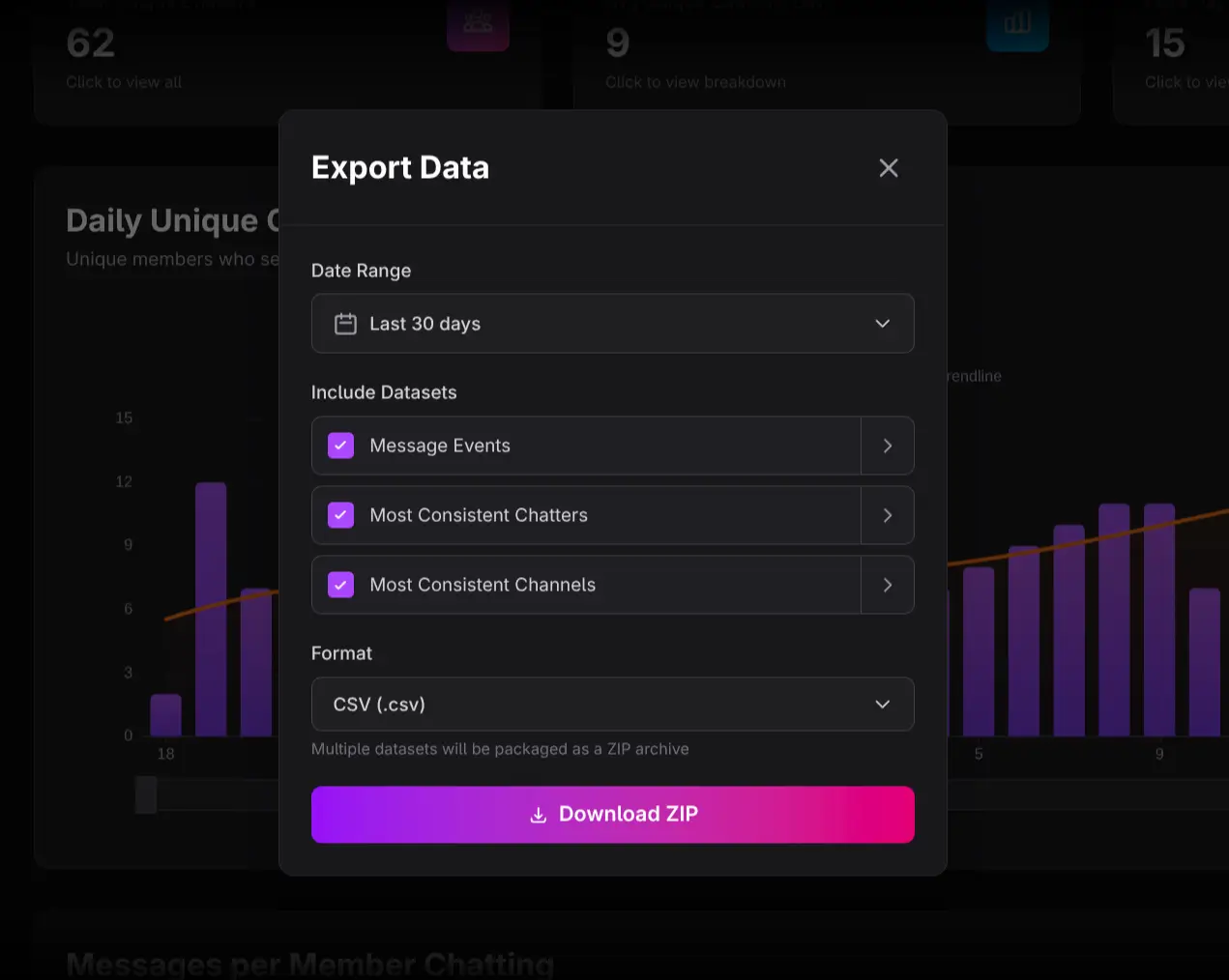
Use Export Data or chart-level Export controls for the needed datasets.
- One message is enough for a member to count as a chatter in a period.
- Unique counts across periods cannot be added to obtain a longer-range unique total.
- Messages per Chatter measures intensity, not conversation quality.
- Plan gating may prevent interaction until the required plan is active.